


Wheeler
Most, if not all modern RPG games have some sort of wheel menu for quick actions. GTA5's wheel allows the player to quickly browse their military arsenal, Witcher's wheel allows to switch between magic signs and consumables, and Bethesda's own title, Fallout4, has a wheel for favorited item access. This mod aims to integrate this modern UI paradigm into Skyrim, and hopefully make its players' life easier.
The wheel
Structure
Wheeler's hierarchy goes like this:
Wheels -> Wheel -> Slot -> Item
Simply put, you can have more than one wheel, in which you can have some slots, and each slot can contain more than one item. This hierarchy allows you to store basically your whole inventory/magic menu into the wheels.
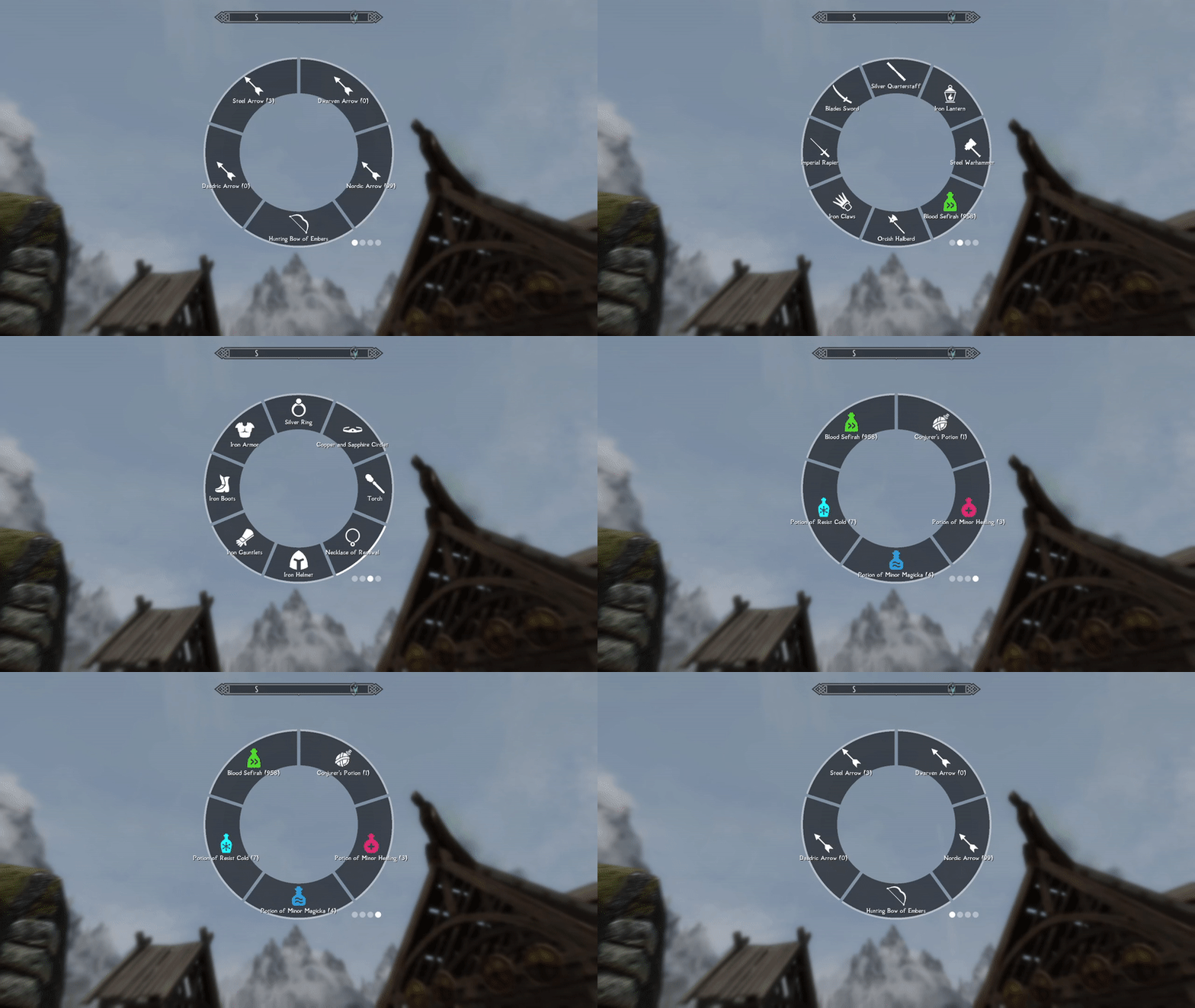
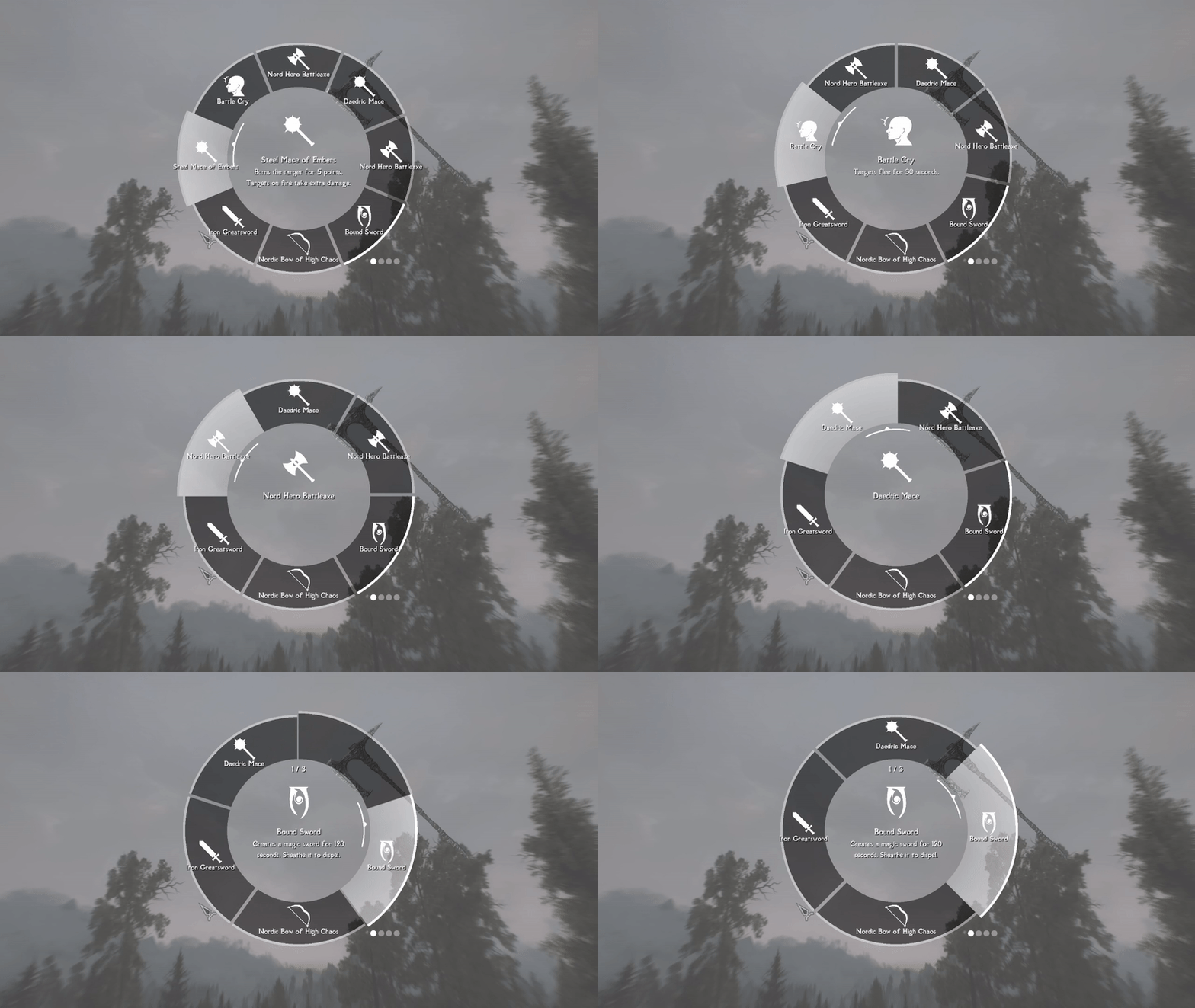
Browsing through multiple wheels(Q/E keys on keyboard by default)
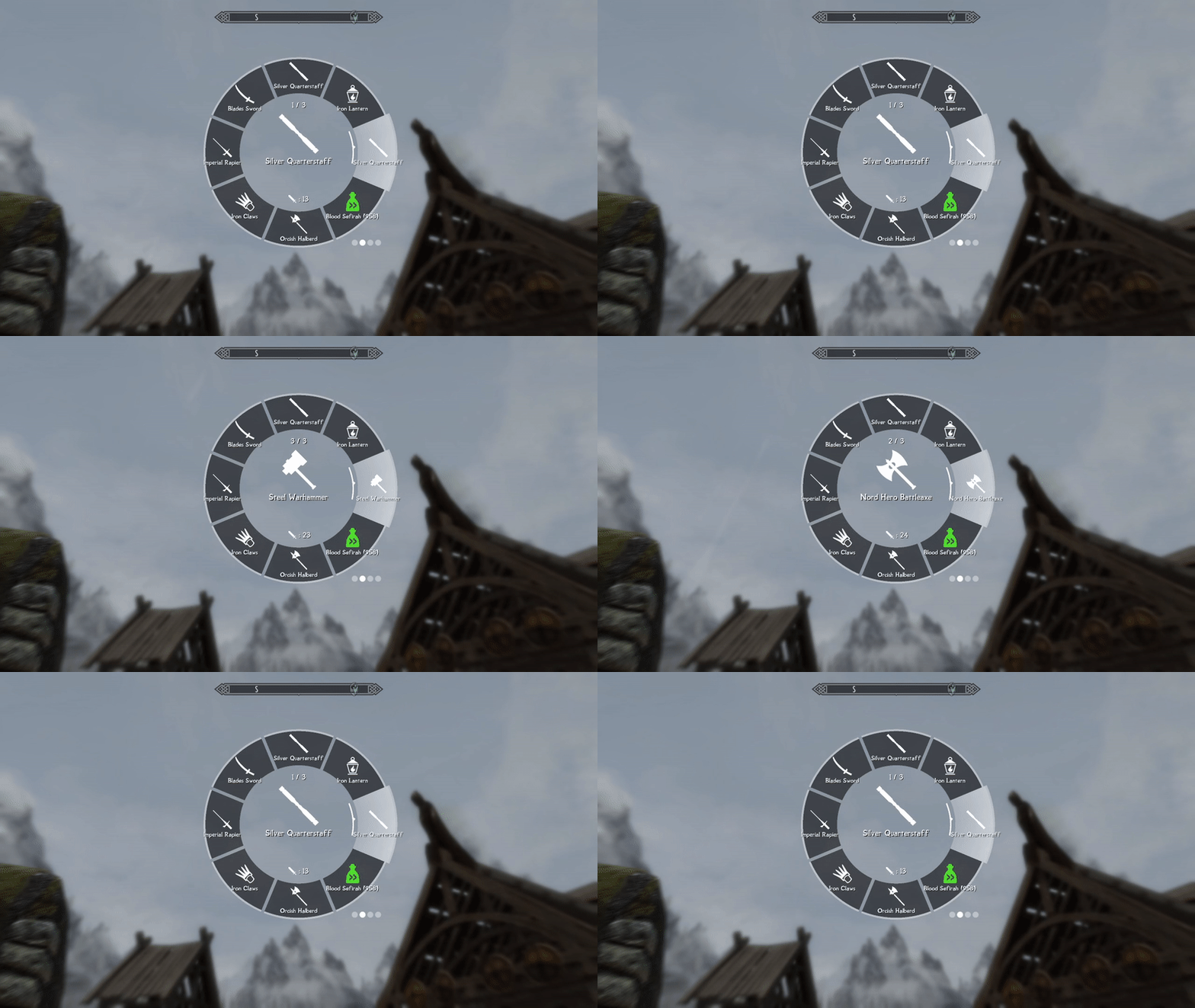
Switching between different items in a single slot(mouse scroll up/down by default)
Display
Each slot displays the texture of the name of its current item (slots can have multiple items in it), and the center of the wheel displays an enlarged texture as well as a detailed description of the item, when applicable.
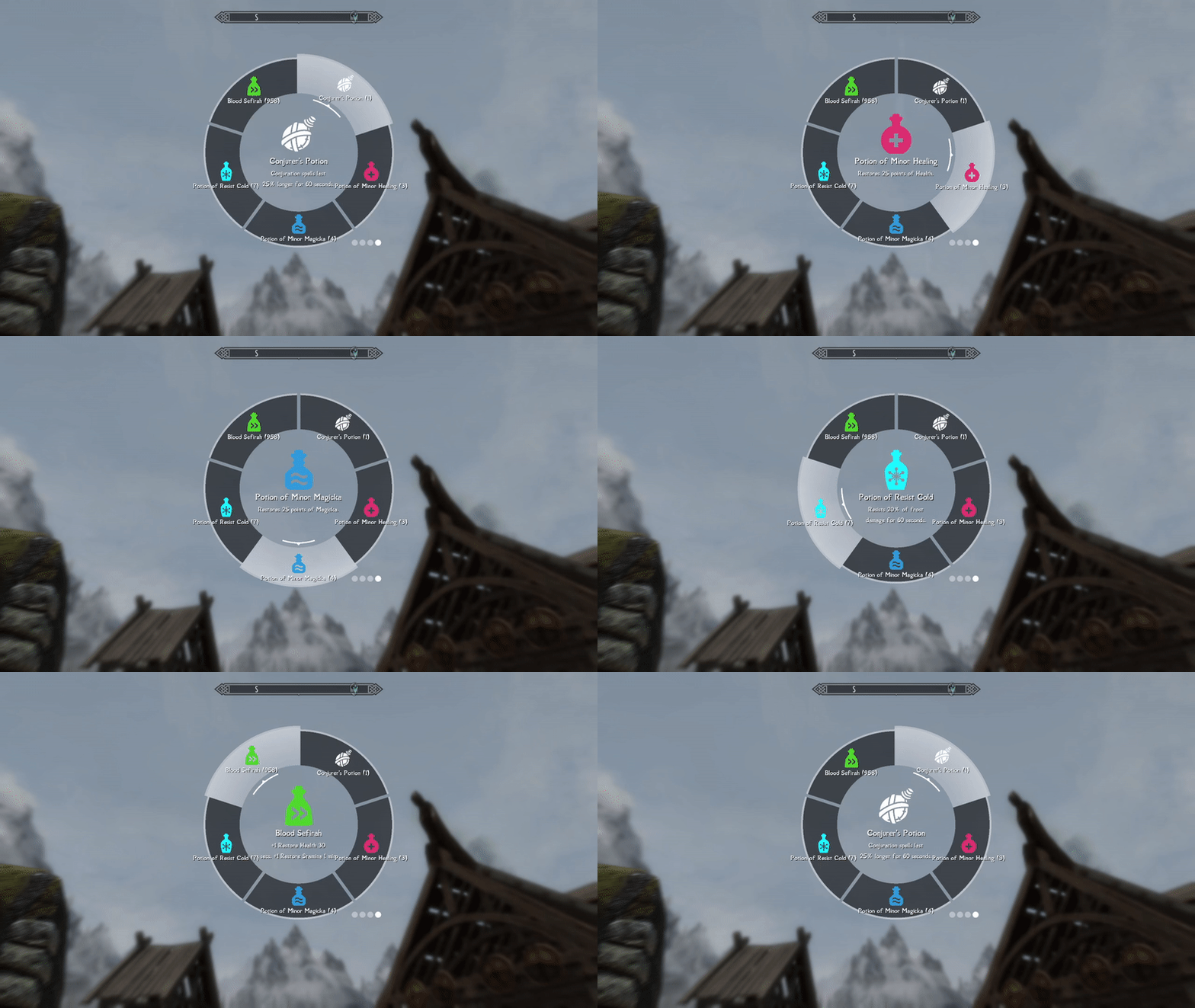
Spinning the wheel
Controls
Toggling
The wheel menu can be toggled using a hotkey. You can:
- Short press the hotkey to toggle it on, until you press it again.
- Press and hold the hotkey to keep it open until you release.
The above 2 toggle methods coexist; if you press the hotkey long enough, it switches from mode 1 to mode 2.
By default, CapsLock (keyboard) and Left Trigger (gamepad) are the hotkeys for toggling the wheel. You can rebind the hotkeys easily through dMenu.
When wheeler is open, the game's time slows down to a customizable scale(by default 0.1x) - tweakable through dMenu.
The player has full movement controls when the wheel is open, keeping the game's flow uninterrupted.
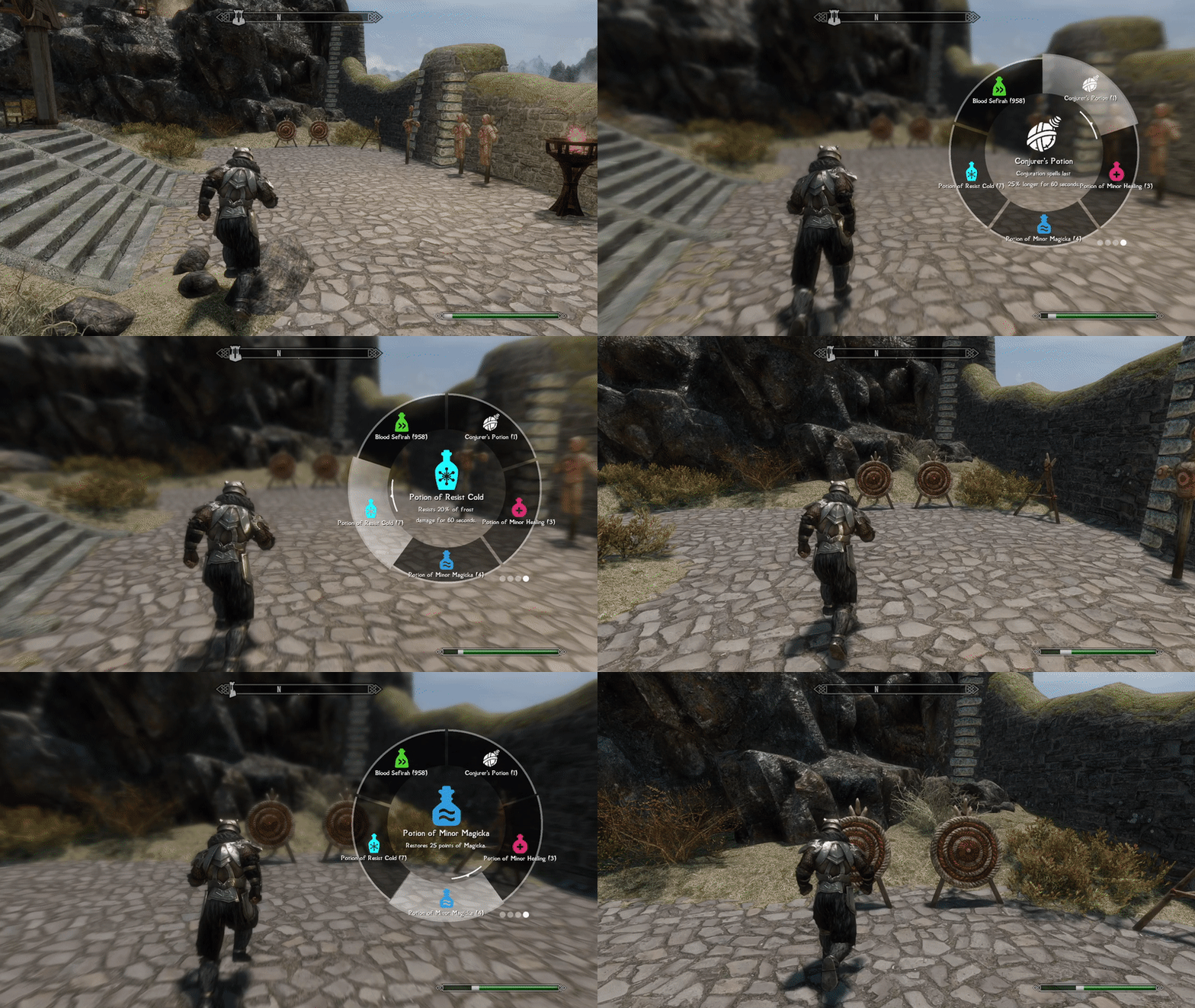
Running around with Wheeler
Item usage
Using (equipping/consuming) an item through the wheel is no different from using it in the inventory; simply left/right-click on the item will equip it to the corresponding hand.

Equipping items with ease
Wheel Editing
Edit Mode
Changes to the wheel can be made when you open the wheel in either the inventory or magic menu. When you open the wheel in these two menus, the background will grey out, suggesting that you're now in "edit mode".
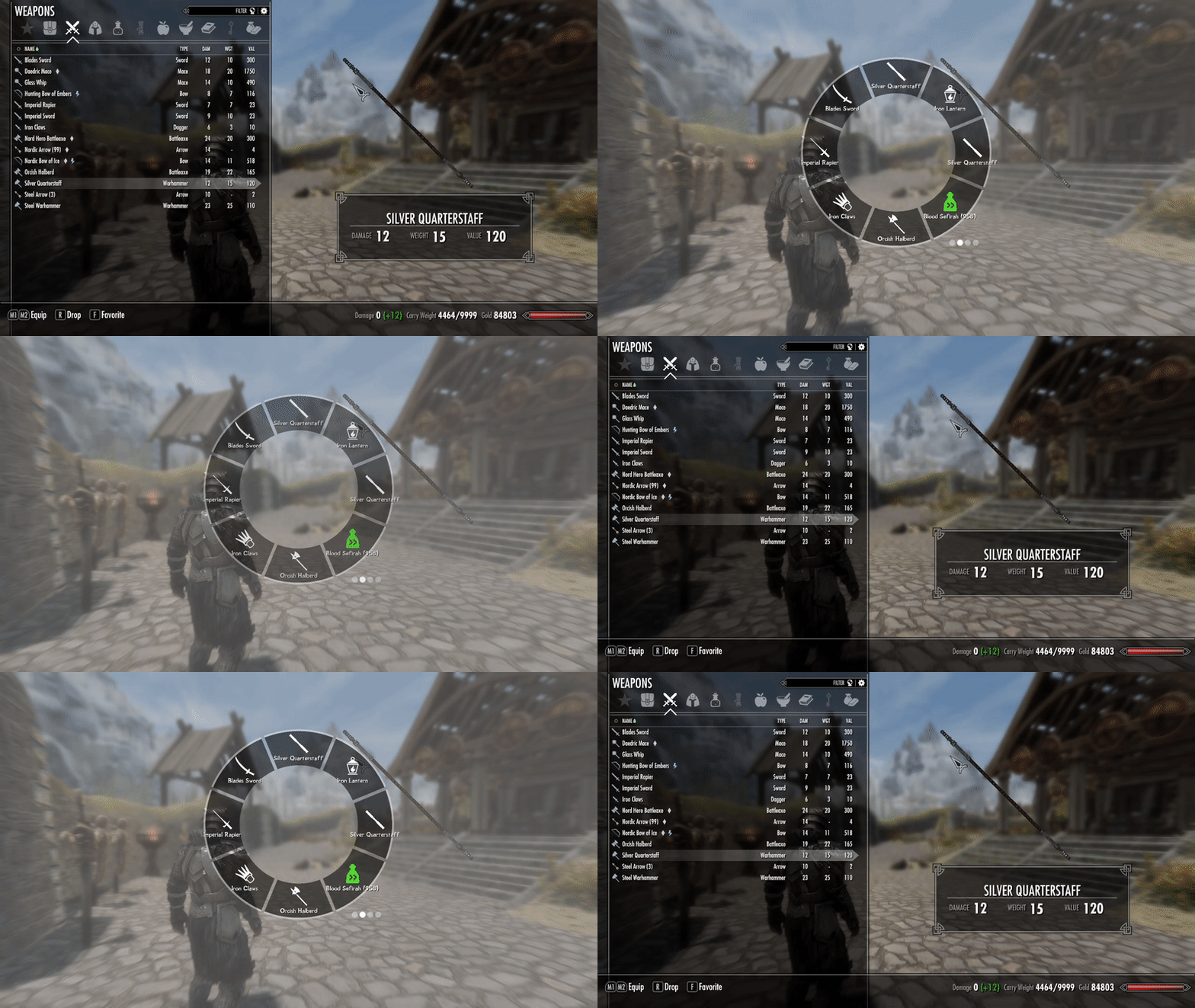
Enter edit mode by opening the wheel in the inventory/magic menu
Creating New Wheel/Slot
By default, create an empty wheel using the "N" key and an empty slot using the "M" key. You can create as many wheels and as many slots in a single wheel as you'd like.

Have as many slots as you'd like
Item Insertion
To insert an item or magic into the slot, hover on the item you desire in the inventory, open the wheel, and left-click (right shoulder) on the entry you wish to insert the item into.
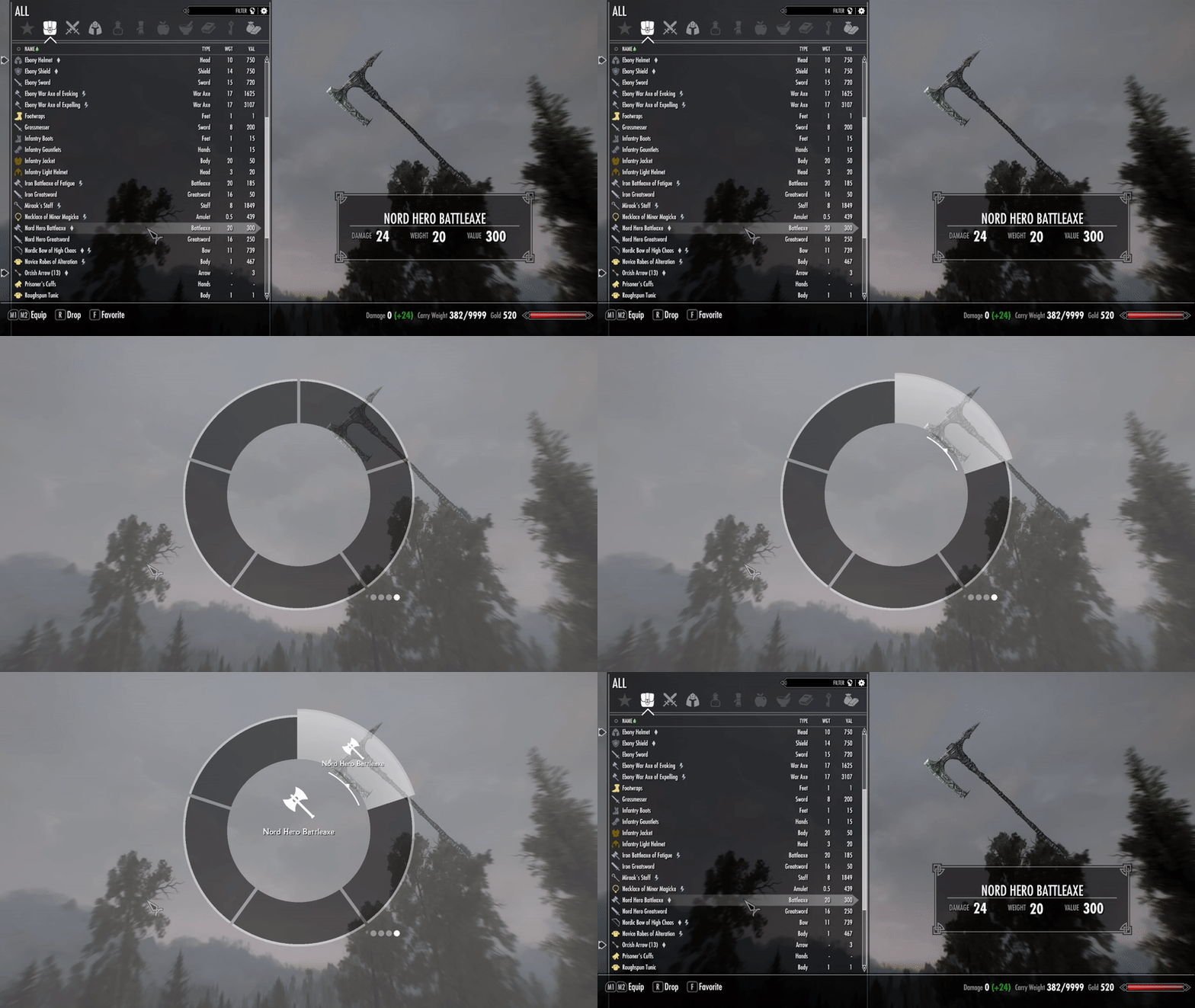
As convenient as the favorite menu
Slot/Wheel Ordering
To change a slot's order in a wheel, press the up/down arrow to swap its position with neighboring slots.
To change a wheel's ordering among all wheels, press the left/right arrow to swap its position with neighboring wheels.
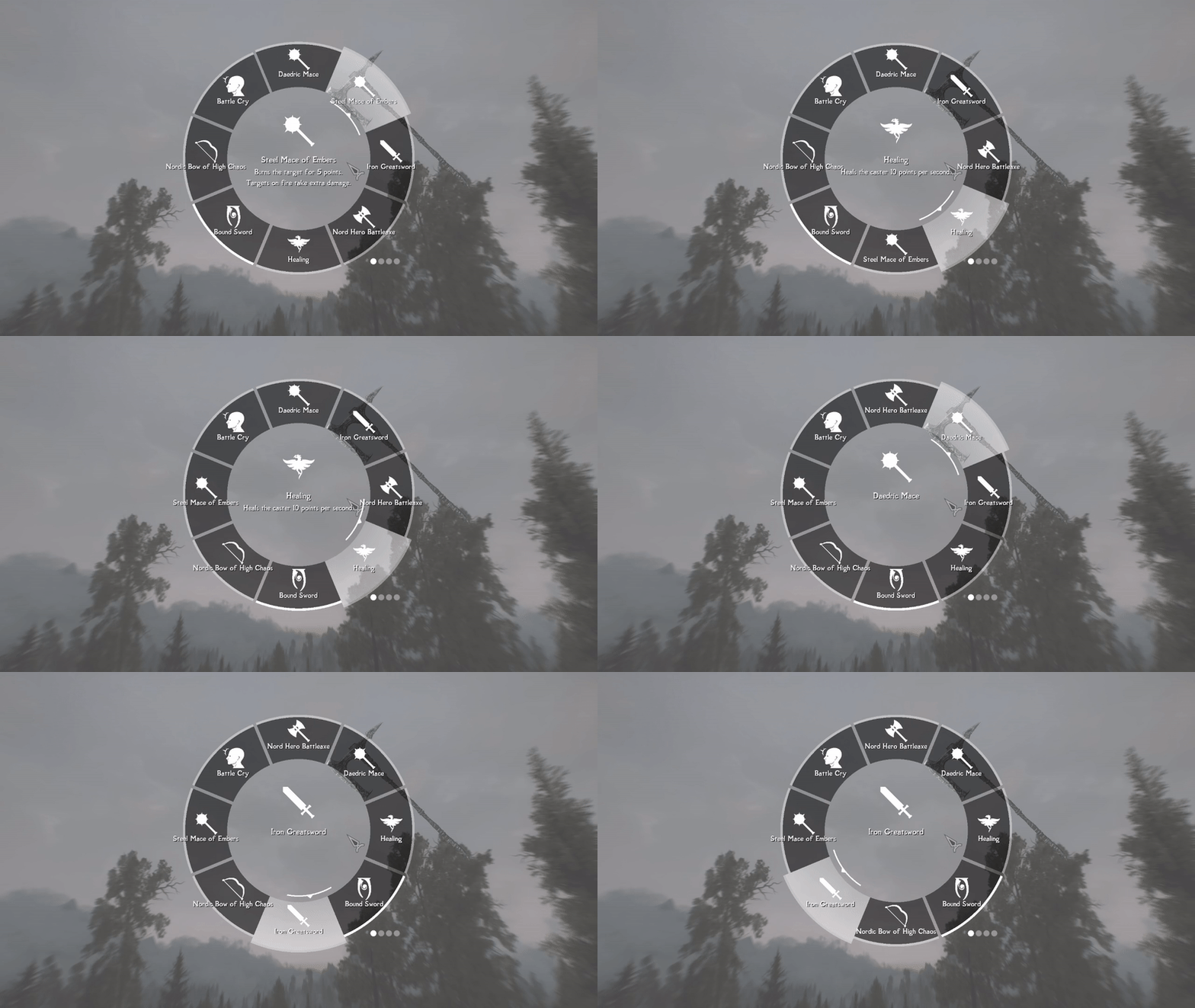
Visualize your edits in real-time
Deletion
To delete an item from a slot, simply right-click (left shoulder) on the item you wish to delete.
Right-clicking (left shoulder) on an empty slot deletes the slot.
Right-clicking (left shoulder) on an empty wheel deletes the wheel (you can't delete the last wheel).
Persistence
Your wheels' configuration persists on a per-save basis, meaning for each save, you start with an empty wheel, and items in the wheel for each save are independent from each other.
Thanks to iEquip's SKSE source, enchantable, poisonable, and temperable items are differentiated by their enchantments/poisons/tempering through their unique IDs. This allows the wheel to tell the difference between 2 items of the same form with different enchants, an issue most quick-equip mods (except iEquip) face.
Wheeler does not leave any script or reference in the player's save; item data are safely stored in SKSE CO-save files with robust versioning, meaning it's safe for users to install, uninstall, and update the plugin mid-save without worrying about save bloat or data corruption.
dMenu Integration
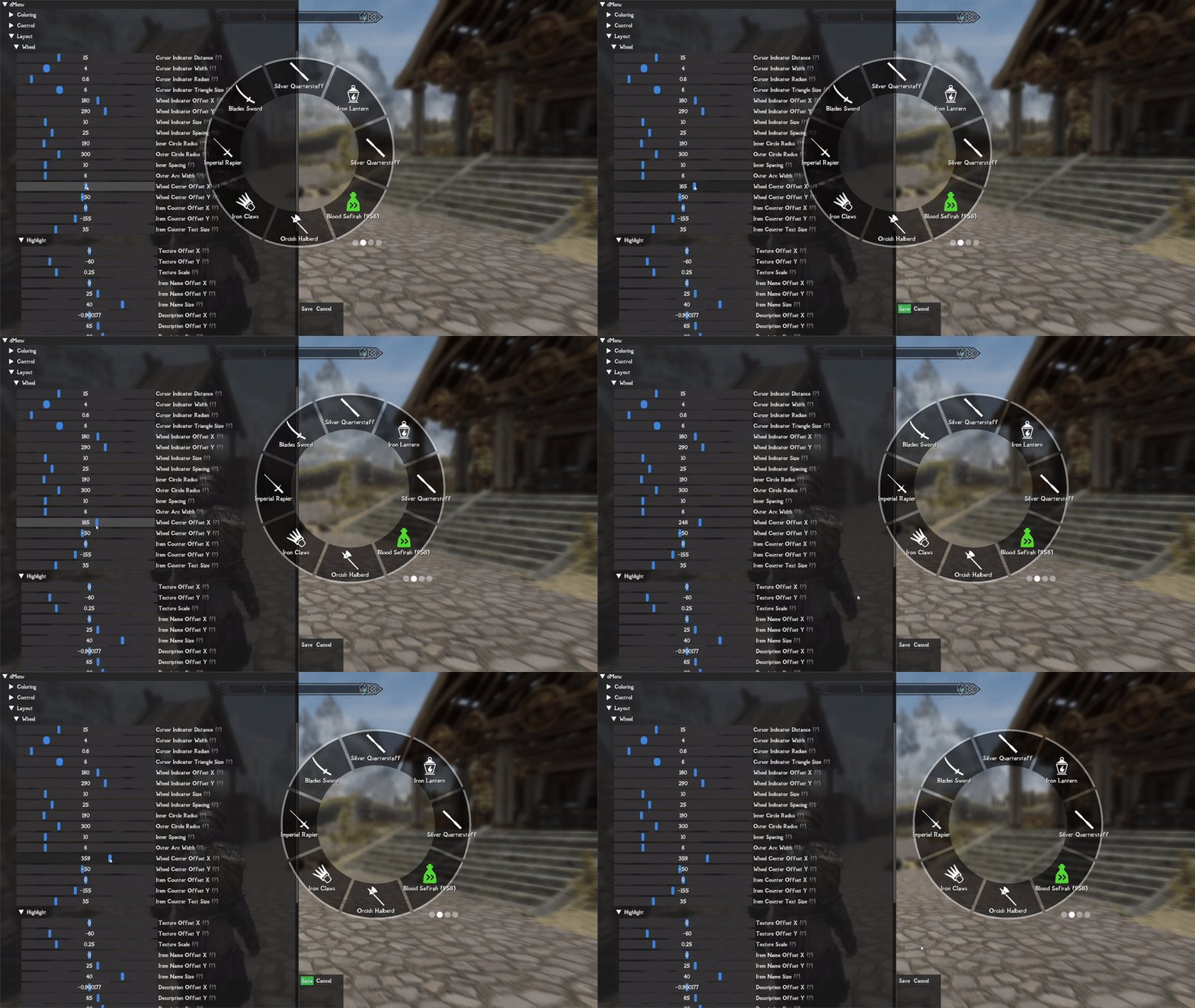
Wheeler uses dMenu as its settings GUI. With dMenu, you can easily tweak various attributes, keybinds, and the color of the wheel to your liking.
FAQ
Q: I can't add a weapon/armor to the wheel
A: This is usually caused by an alternate start mod that adds random items to your inventory. This only happens to the set of starting items you have. To fix this issue, simply drop the item onto the ground and pick it again.
Q: Texture replacers?
A: You will be able to replace item icon textures and even add custom textures for items of a dedicated formID&keyword. I will document this feature soon.
Compatibility
I haven't noticed any incompatibilities between Wheeler and any other UI mod, as Wheeler goes through its own rendering pipeline. Please let me know if you find any, which I will try my best to fix.
Multi-lingual support
If your language requires fonts other than English (for example, Russian, Korean, Japanese, etc...), navigate to "Wheeler\SKSE\Plugins\wheeler\resources\fonts," open "fontConfig.ini," and change the "font = English" to your language. Then, put the .ttf or .ttc font file into the corresponding language folder. (Japanese, English, and Chinese fonts are already included in the mod)
Source
Script I used to generate this page from markdown
Credits
LamasTinyHUD and the author mlthelama. Referring to its ImGui codebase significantly helped me understand how to draw .svg files and much more. I can't stress how much the author's source has helped me
DearImGui for its awesomeness
Ryan for clib
Original algorithms that have inspired this mod in its early stage
iEquip's SKSE source that has helped me understand how to differentiate items through unique ID indexing
Sovngarde's font is being used as Wheeler's default English font
My patreons for your support!
Ersh for harassing me to use scaleform for the front-end(I used ImGui anyway)
Horizon: Forbidden West and GTA5 for artistic inspiration
绝伦 for the cover image
Adamin_Dibi and Monitor144hz for their font suggestions
Support
Instructions
install dMenu and address library for SKSE
Requirements
Wheeler
Supports SSE and AE
