


This mod removes the automatic camera recentering, which many players find frustrating.
- Works best with keyboard & mouse (controller improvements are in progress)
- Also disables the camera reset when you attempt to lock-on with no target in range
🖥 Requirements
- Elden Mod Loader (required)
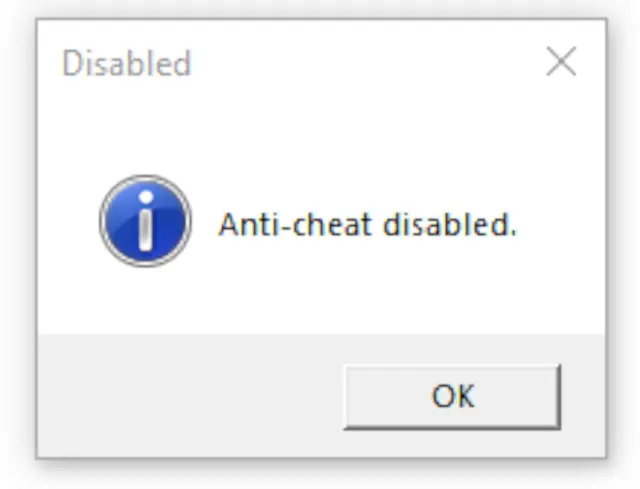
- You must also disable Easy Anti-Cheat (instructions available on the mod loader page)
📥 Installation
- Extract the contents of FixTheCamera.zip into your game folder.
- Example:
- G:\SteamLibrary\steamapps\common\ELDEN RING\Game\
- Example:
- Launch the game, and the mod will load automatically via Elden Mod Loader.
⚙ Configuration
You can tweak the mod settings in:
mods\CameraFix\config.ini
- Options:
- disable_camera_auto_rotate: Stops camera auto-recentering while moving (set to 0 to turn this feature off)
- disable_camera_reset: Prevents the camera from resetting when locking on with no target (set to 0 to turn this feature off)
📂 Source Code
View on GitHub: https://github.com/techiew/EldenRingMods
🔗 Check Out My Other Mods
- Unlock the Framerate
- Remove Chromatic Aberration
- Remove Vignette
- Remove Black Bars
- Adjust the FoV
- Increase Animation Distance
- Disable Rune Loss
- Skip Intro Logos
To install this mod, visit our page on How To Install Elden Ring Mods at: http://fextralife.com/how-to-install-elden-ring-mods/


Comments (1)
Log in to post a comment.
you man, is there a way to configure the camera placement.
giving the ability to do centered view.
Or more shoulder.
It personally like to have the camera a bit closer to the character.
and a little to the left
Can wait to try your other mods.
- DeHumanization