

OVERVIEW
There are a lot of great mods for Skyrim that make vanilla meshes higher quality. These can be things like mountains, dirtcliffs, etc. This is possible because all of those objects resolve from a mesh file (NIF file) that can be modified. Unfortunately, this is not the case for terrain. The terrain mesh is instead generated by the game at runtime based on the vertices in LAND records in plugins, which is pretty coarse. Therefore, historically it was not possible to make a higher-poly mesh for terrain. This is the problem this mod strives to solve.
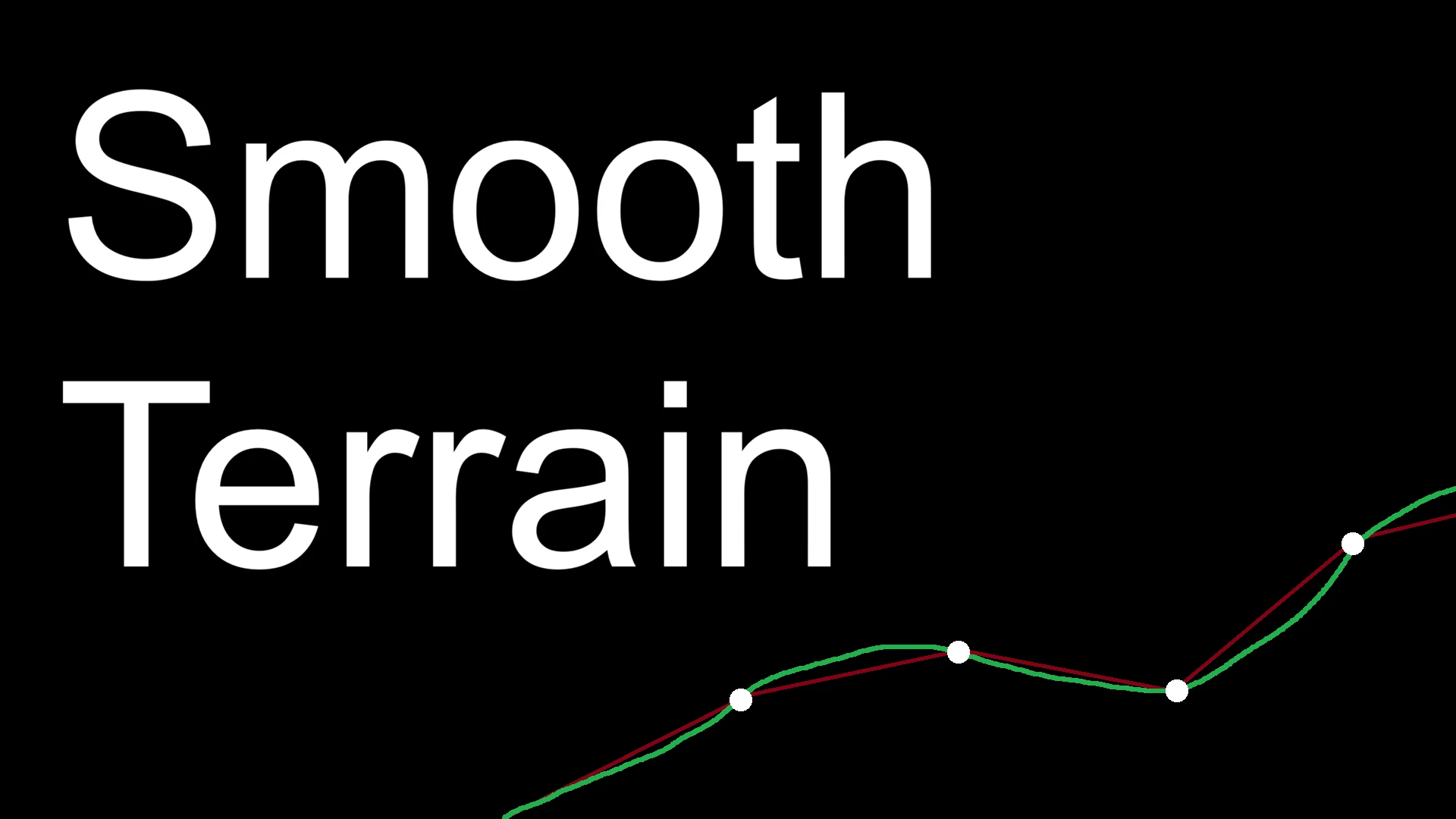
Smooth Terrain is an open-source SKSE plugin which makes terrain appear smoother by subdividing landscape meshes and fitting new vertices to an interpolated curve. This results in more vertices in each terrain quad mesh. The quality and therefore the performance hit can be controlled via the included INI file. This mod can be installed/uninstalled at any point during a save.
COMPATIBILITY
Game version 1.6.1170 is supported. Versions 1.5.97 and 1.4.15.0 (VR) are offered at a "best effort" capacity as time permits.
Compatible with every mod (Including CS and ENB). Feel free to make a post if you find this to not be the case and I can look into it.
PERFORMANCE
Any performance degradation should only be noticeable in GPU-bound scenarios as this does not add any draw calls. Increasing the iSubdivisions INI value will increase tris/verts exponentially and will affect performance more. The default subdivision value is 2.
Thanks to Ungeziefi for providing benchmarks for Smooth Terrain! These benchmarks measure different subdivision settings. All other settings are left default. The benchmarks were done in version 0.4.0.

For more benchmarks and comparison screenshots, please visit the ModdingLinked website.
TECHNICAL DETAILS
By default each LAND record stores a 33x33 grid of vertices. This gets split into 4 quads by the engine when rendering. The goal of Smooth Terrain is to increase that vertex count WITHOUT requiring any changes to the vanilla plugin system, therefore, an interpolation method is needed to calculate new vertices to use in the new subdivisions.
The interpolation is a Catmull-Rom spline, which fits a curve on the existing vertices. This means all original vertices are still in the same spots, we are just adding some other ones in between. This simplifies the problem of adjacent cells as well, since the vertices are the same (at least they should be if mods are correct), the interpolation on edges will be the same too, so no seams. The number of vertices added is controlled by the iSubdivisions INI value. In addition to the interpolation, a maximum height modifier is applied to crests so that bad vertices under statics do not push terrain over top of them. Vertices are added to the existing mesh prior to the draw which means this mod does not add any draw calls, it only modifies the existing one.

Catmull-Rom Visualization Courtesy of kdenlive.org
Once the new vertices are calculated, other attributes must be updated: UVs, normals, tangent frame, vertex colors, texture blend weights, and collision. This ensures all of those components look and behave the same despite a different geometry.
One of the issues with this approach is decals, which otherwise break when the above technique is used. Smooth Terrain accounts for this by hooking decal-related functions to provide updated information from the updated terrain meshes, and falls back to the vanilla function when the decal is not over one of the modified meshes. This ensures compatibility with spell impacts, footprint mods, blood mods, etc.
On top of this, as of 0.4.0 Smooth Terrain implements a basic LOD system. Relative to LAND quads centered around the player, full smoothing is only applied to a certain distance (configured via INI), then each quad steps the subdivision value down by 1 until it reaches 0 (vanilla). This is generally not noticeable in-game and saves a good amount of performance.
ACKNOWLEDGEMENTS AND LINKS
Thanks to alandtse for VR support!
Thanks to my elite crew of testers in the Parallax Den discord!
Thanks to alandtse and the RE community for their work on commonlib!








Comments (0)
Log in to post a comment.
This thread is open for discussion.
Be the first to leave a community review!