

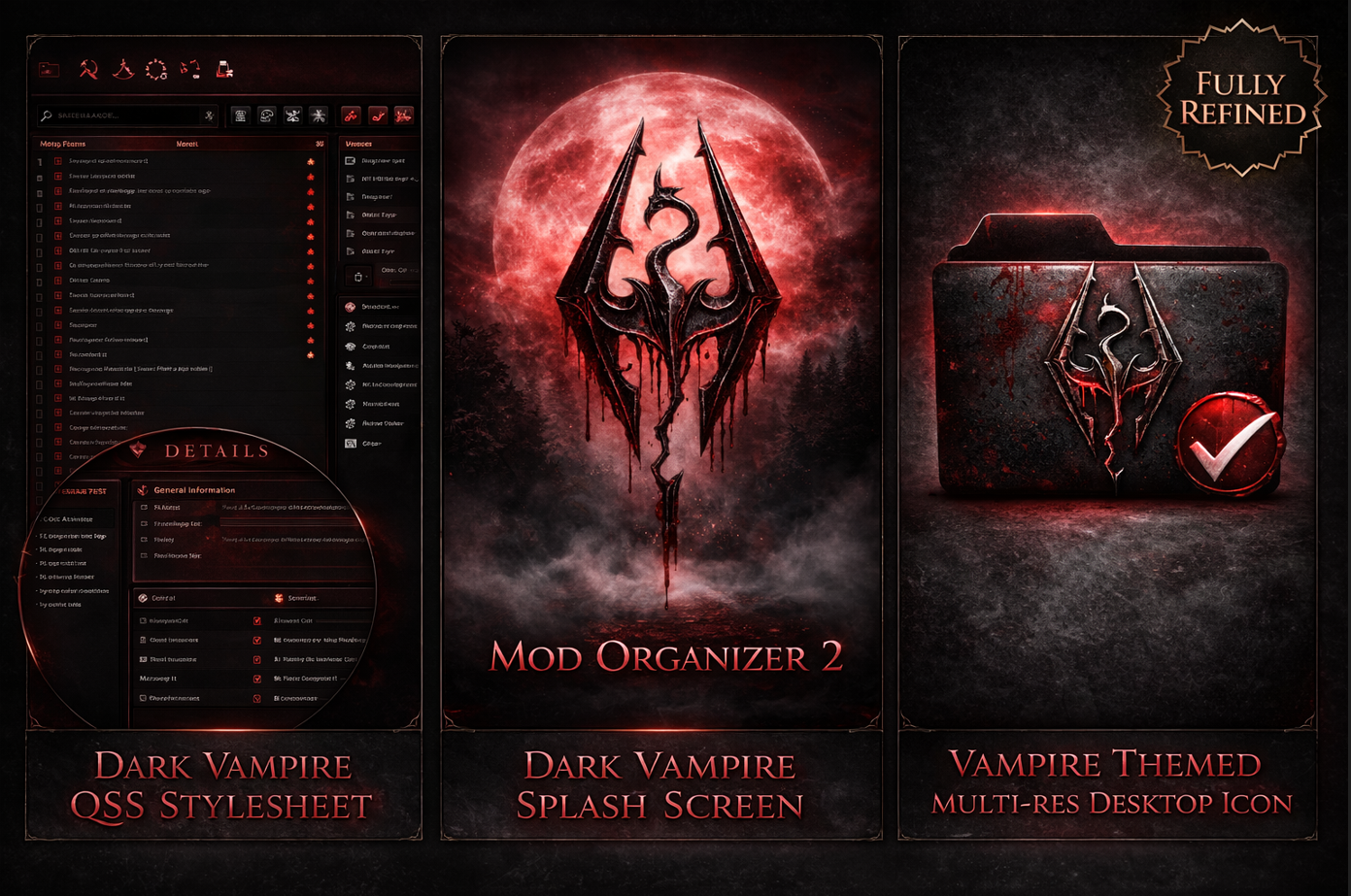
I wanted to create a vampire-themed MO2 setup and try my hand at making some of these nice icons and splash screens. This is my first try at this, but wanted to share with others who also might enjoy them.
Download and installation:
Download manually.
Extract the "vampire_theme.qss" file into your Mod Organizer 2, Stylesheets folder.
On your MO2 desktop icon, right click and select "Properties". Browse where you extracted the files and choose the "VampIcon.ico" file.
For the Splash Icon, place the "Splash.png" file into your Mod Organizer 2 main folder(where the MO2.exe is located.
You're done! Enjoy.
"The black wind begins to blow...."
-Magus80


Comments (1)
Log in to post a comment.
Decided to share this one for the Spring Modathon 2026. Hope you like it!!