


✧˖°・ IMPORTANT ・°˖✧
It is recommended to use this mod when starting a new game or NG+, otherwise various issues might occur like terrain glitches, quest progression not working, floating/misplaced items, double doors and other weird behavior. It seems the game doesn't like the changes made to this location on an existing character. More details can be found in the Issues section down below.
✧˖°・ Overview ・°˖✧
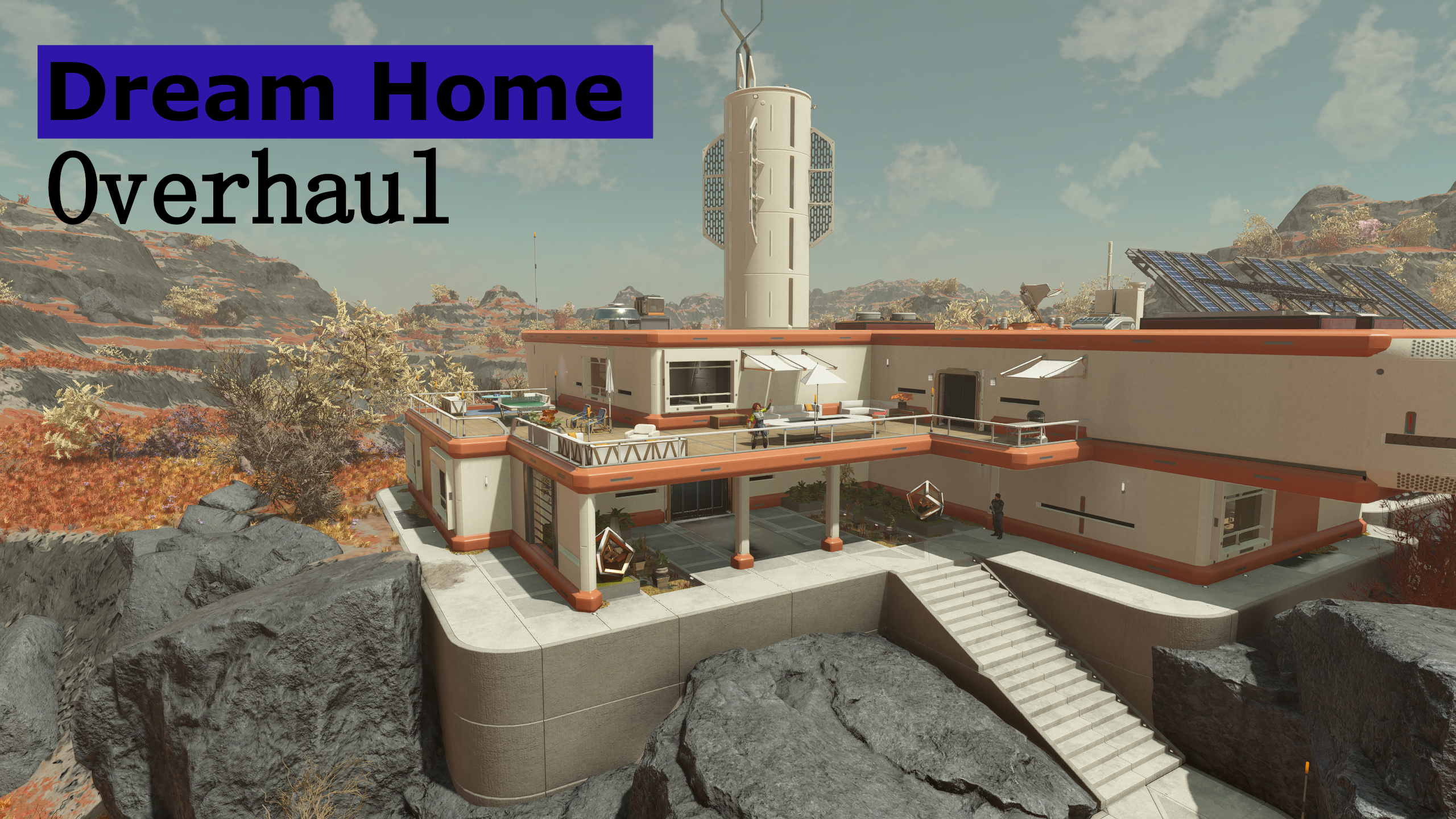
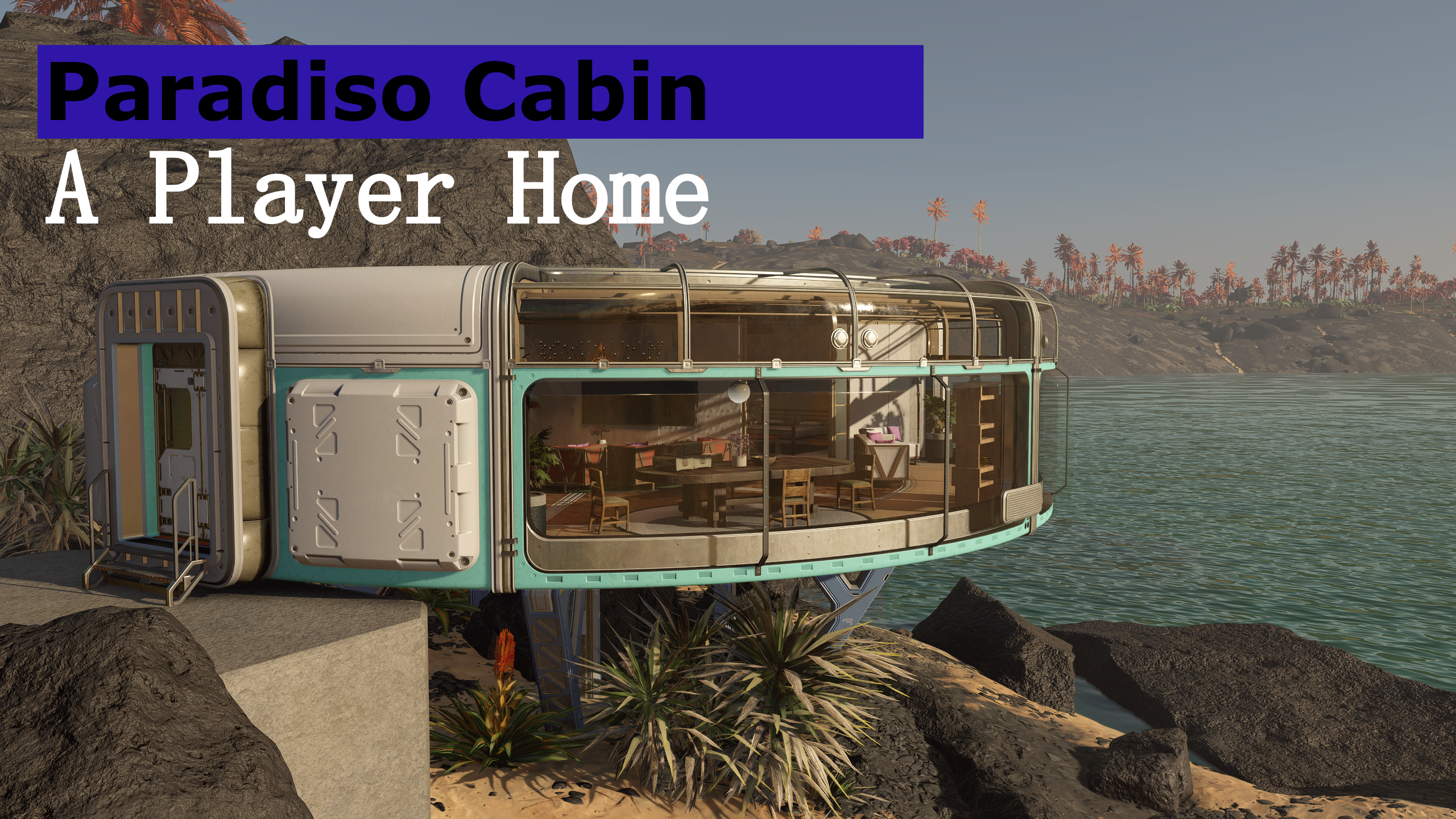
This overhaul moves the interior space of the Dream Home onto the planet Nesoi itself! Furthermore, a couple of new buildings have been placed outside including a variety of amenities such as a working Ship Builder panel.
The changes to the exterior look of the house to the vanilla one are simply because the internal layout didn't match the exterior dimensions.
To unlock the Dream Home you must have the Dream Home trait.
If you're on PC you can also use the following console command to unlock the house without the trait: setstage A47B8 100
✧˖°・ Features ・°˖✧
- The full interior has been moved onto the planet Nesoi itself (except the basement!). You can now enjoy the gorgeous view of Nesoi out of your Dream Home's windows.
- The area itself can be further decorated like any other player home!
- I was not able to turn it into a fully working outpost that would allow assigning crew and cargo links, so for the time being the space will behave like any other player home.
- Working shutters on all windows in the home, to use them use the panels next to them.
- Transfer Container with unlimited storage and multiple more storage crates.
- All inventories are connected to any workbenches, allowing for use of their inventories while crafting
- You can even use the Transfer Containers inventory for the basements workbenches.
- This does not apply to the building menu itself, I couldn't get that working yet without the ability to remove items.
- Custom bookcases, fridge and dresser for storing your beloved items!
- A secure vault (with a cool vault door!) that houses ample storage for items, Spacesuits and weapons, keycard for it can be found on the kitchen cabinets!
- Lots of activities for your companions to engage in activities around the house and other parts of the exterior.
- Various defense around the property, including turrets, guards and robots.
- A nice looking landing pad!
- A "Ships Services" building next to the landing pad including:
- A Vendor Kiosk that buys all your items (except stolen ones, common it can't be too easy!) and sells you ammunition.
- A fully working Ship Builder panel.
- Bounty Clearance, Constellation and general mission board.
- Lots of interactiable objects such as a coffee machine, mirrors and showers
✧˖°・ Features added with 2.0 ・°˖✧
- The terminal at the entrance door and in the vault is now the "Master Control Terminal" to allow for greater customization of your Dream Home
- You can enable/disable the furniture for each room in the house and the basement individually as you wish
- You can enable/disable all of the exterior additions individually as you wish (besides the landing pad and its clutter)
- You can swap between Female and Male mannequins for the Bedroom and Vault individually
- You can dismiss/deploy the guards, robots and workers individually

✧˖°・ Performance ・°˖✧
The interior part of the house itself contains around 2000 items plus the additional exterior buildings and NPCs. I haven't noticed any performance impact on my end (using a RX 6800 XT and Ryzen 9 5950X) however on lower end systems you might notice it.
✧˖°・ Compatibility ・°˖✧
- Not compatible with any mod that modifies that area of the game in any way!
- Not compatible with my previous "Dream Home - Furnished" mod, which I have also taken down.
- If you use the basement replacer optional file, make sure that Dreamhome_Extension.esm is after the main and before the optional file in your load order!
✧˖°・ Issues and Troubleshooting ・°˖✧
If you load up the area for the first time, it can happen that objects are out of place or you have duplicated doors and other weird things.
- Make sure you waited 24 hours on Venus (for the cell to reset) and then enter the area.
- Save while being in the area and then restart your game. (On console I got reports that you need to restart the entire console for this to work)
UPDATE: Some people have reported issues like doors not being intractable from the inside, the NavMesh not working correctly or objects being out of place/broken. I took multiple looks at the mod in CK in attempts to fix these issues, but everything is setup correctly and I am not able to reproduce these on my end. Seeing that other issues I am able to reproduce but can't fix (since these things are also all setup correctly in the CK) are no longer present when starting a new game or NG+ I recommend using this mod on a new game or NG+.
✧˖°・ Credits ・°˖✧
- Senturus1983 for helping me testing the mod
- DeAdMiKe187 for helping me testing the mod
✧˖°・ Support・°˖✧
I am open for suggestions and feedback! If you encounter any issues, please create a bug report on this page or join my Discord Server!
I am also in the official BGS Discord as well as the Starfield Modding Discord!

Comments (0)
Log in to post a comment.
This thread is open for discussion.
Be the first to leave a community review!