

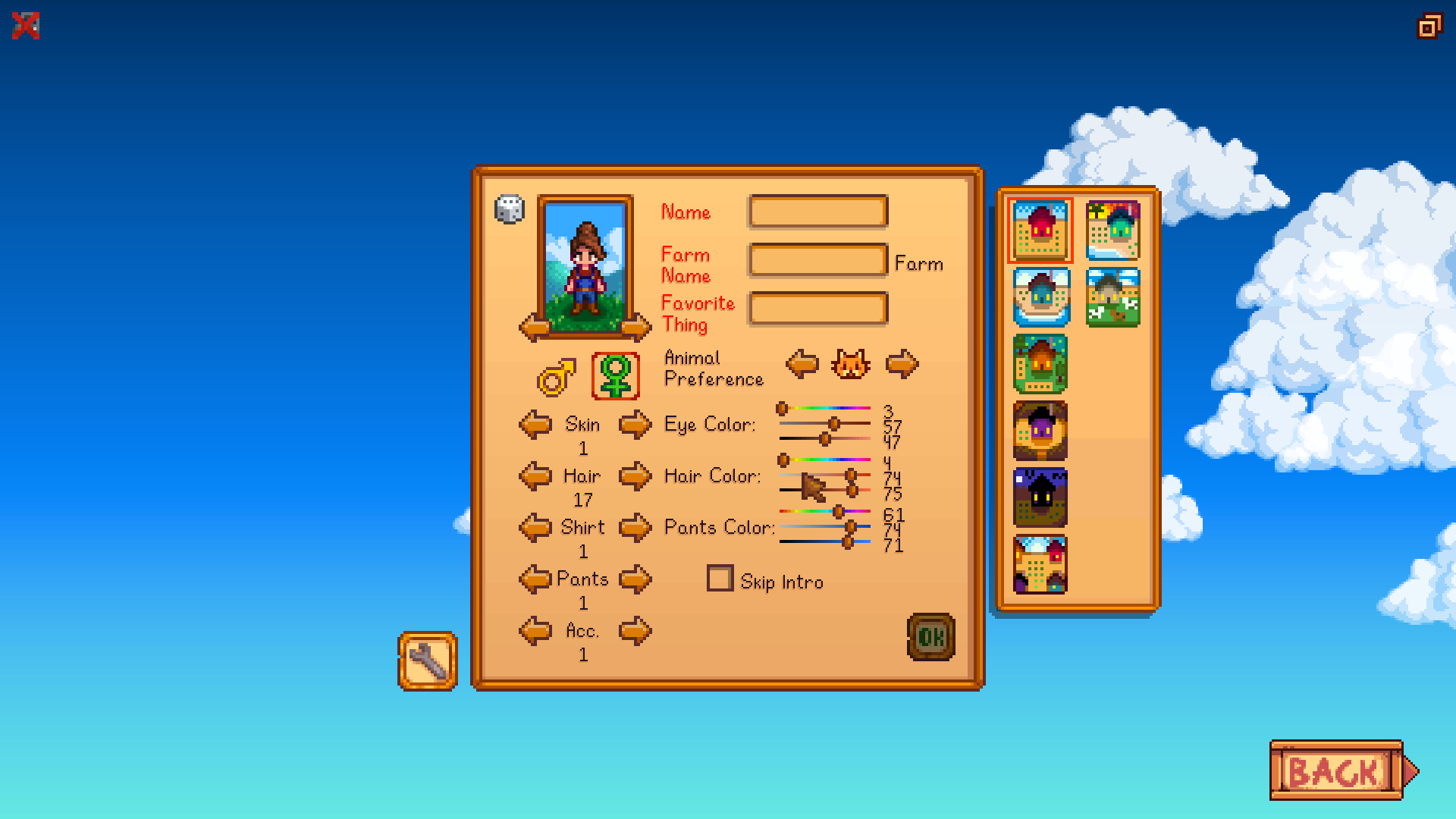
Move the cursor onto any option in the character customization menu that has a left and right arrow or that has HSV bars to select a color. Scroll your mouse scroll wheel to change that option. This particularly gives you more precision with choosing a color and lets you focus on the way your character looks as you do so.
Works in any CharacterCustomization menu instance whether you are creating a new character, changing your appearance in the Wizard's basement, or dying your clothes.
How to install:
- Install the latest version of SMAPI.
- Download this mod and unzip it into Stardew Valley/Mods.
- Likewise install the required mods listed in Requirements above.
- Run the game using SMAPI.
If you need additional help installing the mod, the Stardew Valley wiki has more detailed instructions.
To uninstall the mod, delete this mod's folder from your Mods folder.

Comments (0)
Log in to post a comment.
This thread is open for discussion.
Be the first to leave a community review!