

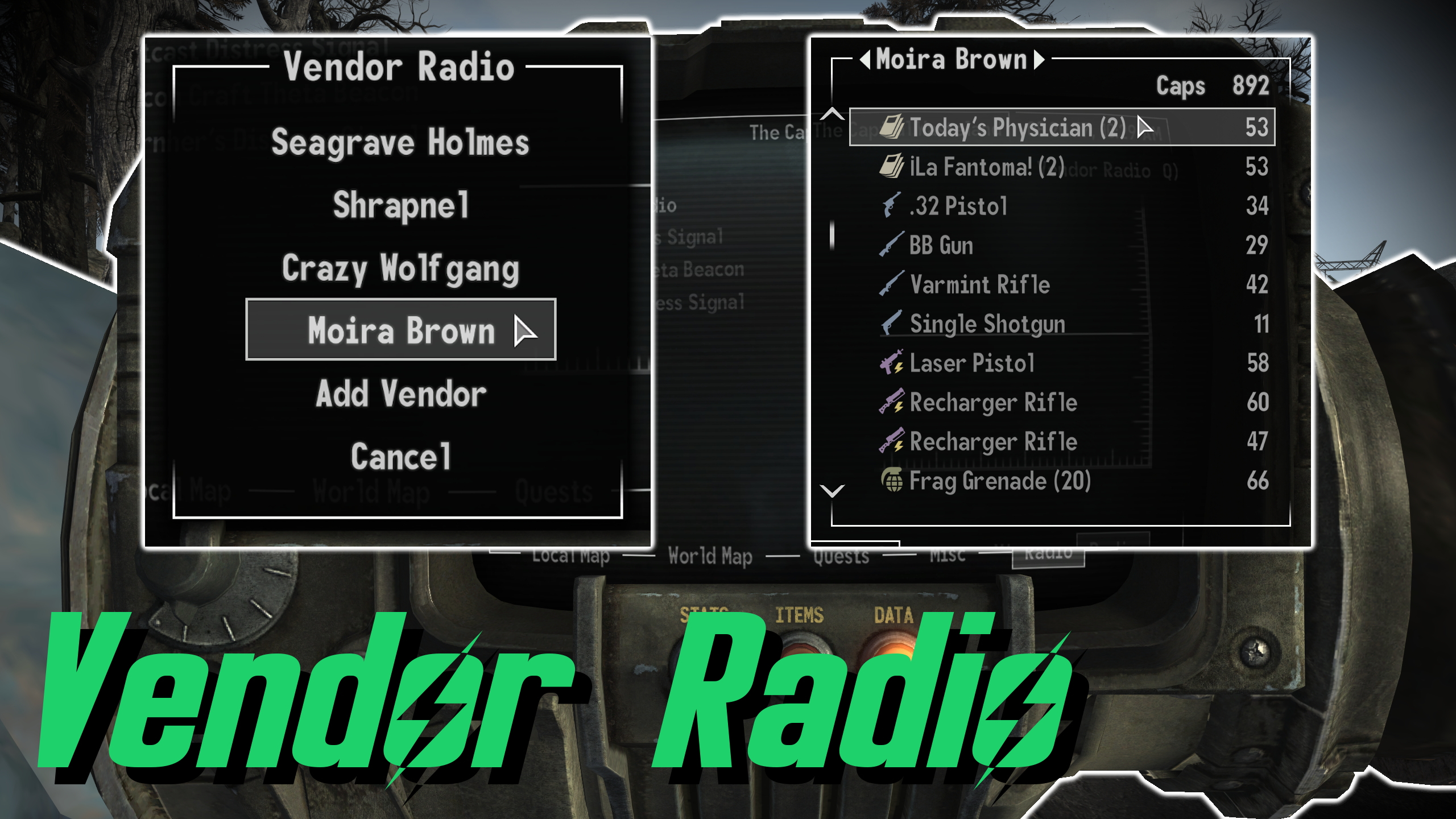


Browse/Purchase items from any vendor directly through the Pip-Boy radio menu.
VENDOR MODES
> Browse Only (Allows the player to browse the vendor's inventory. Buying items is disabled)
> Express Shipping (Purchase/ship items to any unlocked Mojave/Pony Express dropbox)
> Direct Buy (Purchase items directly to the player's inventory)
> Direct Buy & Sell (Purchase/sell items directly to/from the player's inventory)
ACCESS MENU
Click on the "Vendor Radio" button found in the Pip-Boy Data Menu Radio tab.
ADD VENDOR
Open the Vendor Radio menu.
Select the "Settings" option.
Select the "Add Vendor" option.
Any nearby vendors will populate the list.
Select vendor you wish to add to the Vendor Radio.
NOTE: Vendors must be spoken to at least once before they can be added.
REMOVE VENDOR
Open the Vendor Radio menu.
Select the "Settings" option.
Select the "Remove Vendor" option.
Select vendor you wish to remove from the Vendor Radio.
BARTERING
Open the Vendor Radio menu.
Select merchant and shipping location to access the barter menu.
Purchase items as you normally would though the vendor's inventory.
Accept purchase and your order will be shipped to the requested Mojave/Pony Express dropbox.

Configurable via MCM Extender:
Set vendor mode.
Set price multiplier.

Incompatible with any mod that makes drastic changes to the Express Box system.

xNVSE 6.4.0+

Installs like any other mod, manually or using a mod manager.





Comments (0)
Log in to post a comment.
This thread is open for discussion.
Be the first to leave a community review!