


[DESCRIPTION]
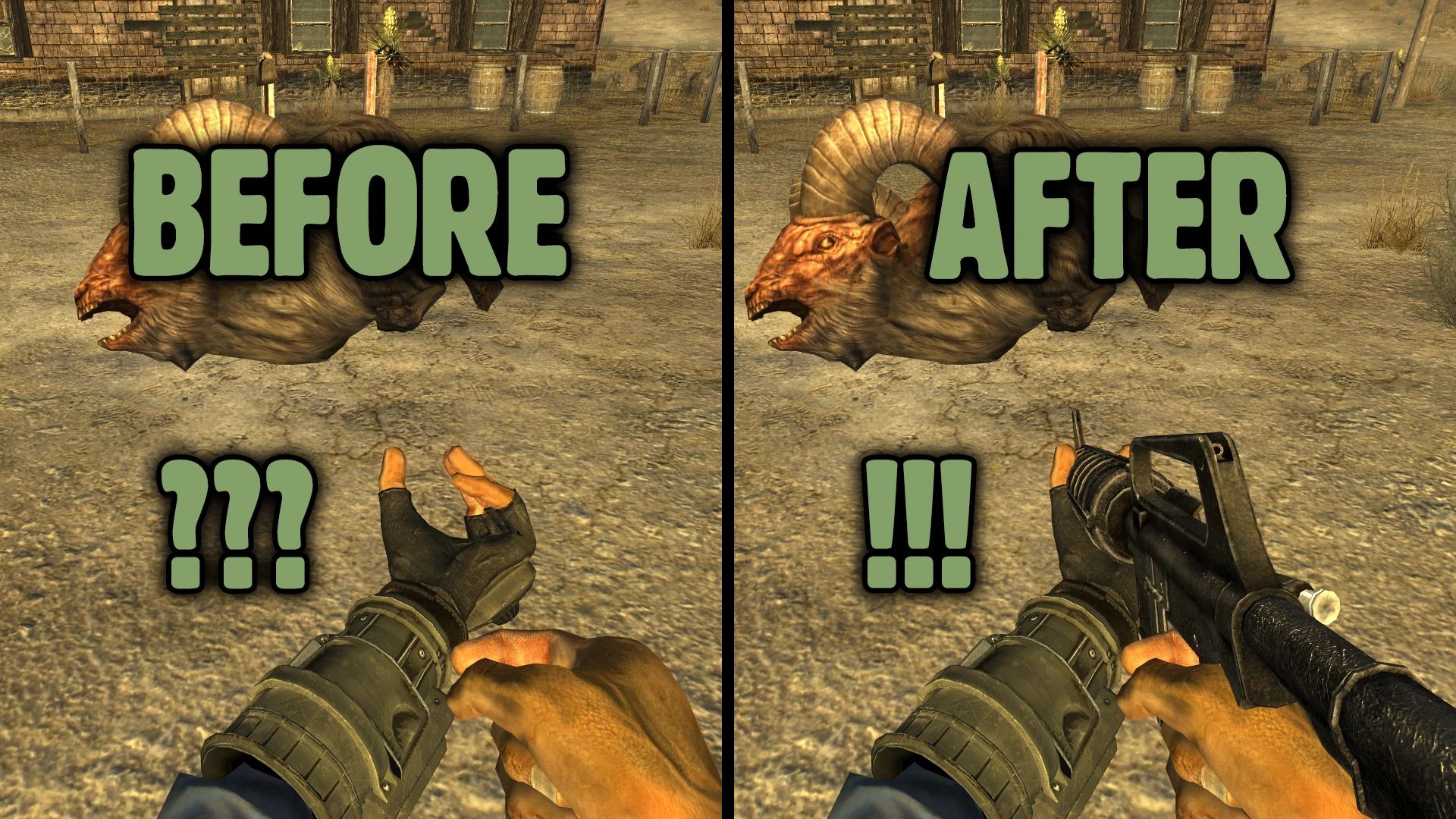
This mod adds default scale transform to weapon node in vanilla aim anims
If you are playing with vanilla animations, and use mods that change
weapon's scale for whatever reason, like B42 mods that hide weapon during
some anims, where it shouldn't be visible on screen, and you have noticed
that your weapon won't reappear afterwards - this mod is here to fix that
Do you specifically need it even if you're playing with custom anims
for your weapons? Short answer - yes, because if you equip a gun or melee
that you don't have animation pack for - then any mod that changes weapon
scale will make your experience far less pleasant. Installing a fix, even
as a "just in case" measure, is only two clicks. But it's all up to you.
[WHAT/WHY/HOW]
Most, if not all, kNVSE animation packs for FNV, usually have weapon
node properly handled, with translation, rotation, and scale keyed, or at
the very least - scale being set to 1 in the NiTransformInterpolator. But
vanilla game lacks that. And that's, apparently, quite common issue among
FNV players. And even though I recommend to use animations packs with B42
mods (for weapon scale issue, blending, etc) - it usually goes unnoticed.
So instead of shoving this fix into every mod we create, we've decided to
release this fix as a standalone mod, as a "one stop install and forget",
and save us all some time.
[FUTURE PLANS]
None at this moment, but as Hitman and I continue to break the game,
we will include over-arching fixes here, and probably rename the mod into
something more decent. If you find unfixed animations - please, feel free
to report them, and we will add them into the mod. Because right now only
animations that we've included are the ones that actually require fixing.
[INSTALLATION]
Install it with mod manager or manually by copying files into data folder
Uninstallation: do the same with mod manager (or manually) but in reverse
[CREDITS]
Hitman47101, for actually making the fix, while I just made tiny changes
Bethesda, for the engine
Obsidian, for New Vegas
Armed Forces of Ukraine, for keeping me alive and safe
Слава Україні!



Comments (0)
Log in to post a comment.
This thread is open for discussion.
Be the first to leave a community review!