

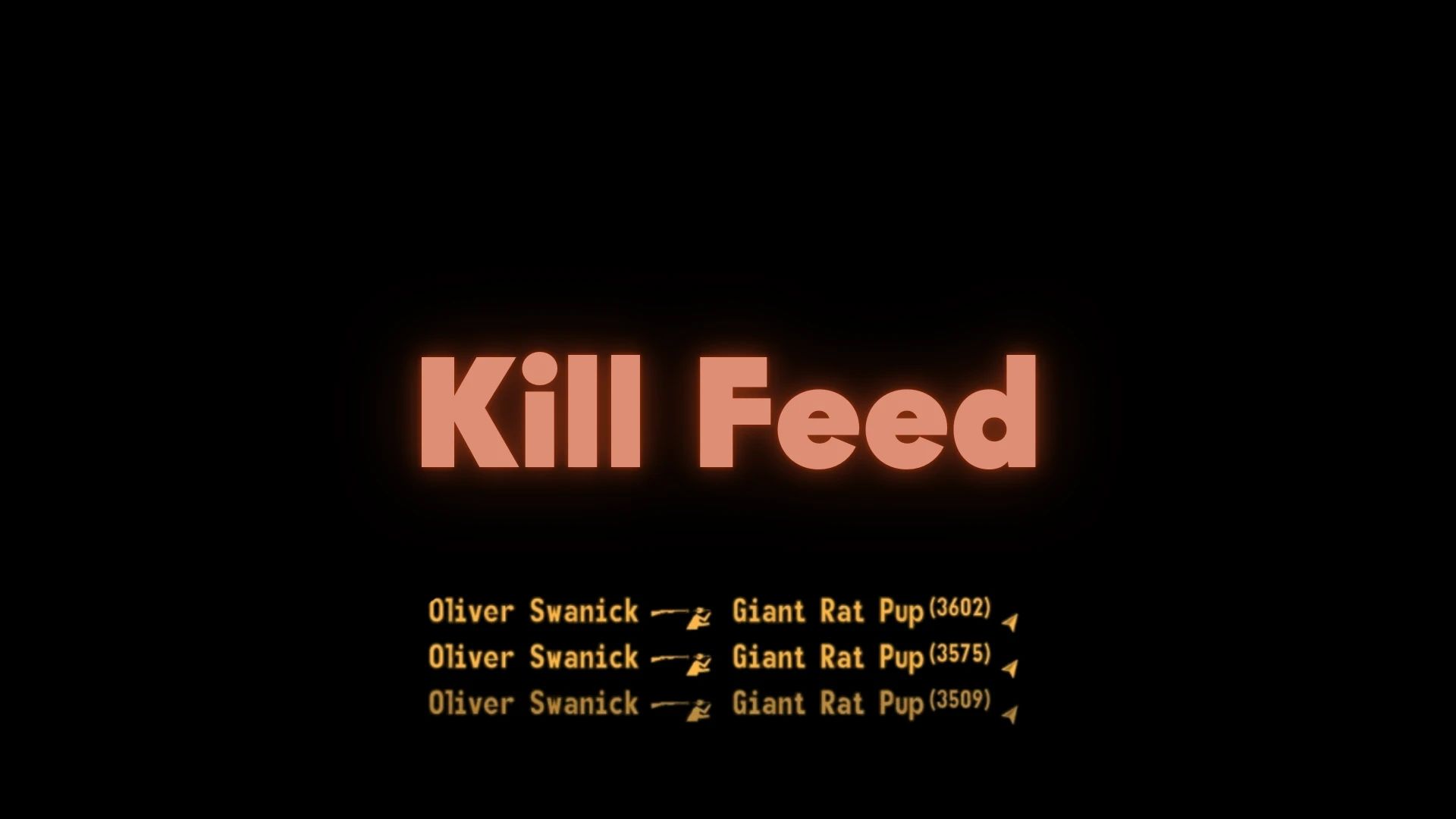
A clean, configurable kill feed that displays combat information without cluttering your HUD.
OVERVIEW
This mod adds a kill feed to your HUD that shows who killed whom, with what weapon, and where it happened.
I used the other Kill Feed mod which is great but I wanted a way to see where off-screen kills were happening. With this mod, you get a simple compass icon; note: this is the absolute cardinal direction, not relative to where you are facing (to do that would require redrawing it almost constantly which is OTT).
It also doesn't use an ESP slot, comes with some fancy animation options and is generally lighter in terms of script but more configurable. It was also a great way to get to grips with XML in New Vegas.
Using custom icons made by N2Jay! Features icons per kill type, mainly using weapon type. We may expand these in future but for now the more lightweight system works well.
FEATURES
• Weapon Icons - Visual weapon type indicators instead of text
• Cardinal Direction Icons - Shows direction to distant kills with compass icons
• Distance Tracking - Displays distance for kills you can't directly see
• Configurable Display - Customize colors, fonts, position, and fade timing
• Multiple Entries - Shows up to 5 recent kills with smooth animations
• Smart Detection - Only shows relevant kills (outdoor areas, line of sight checks)
• Entry Animations - 5 different animation types for new entries (slide, shake, scale, drop, none)
• Kill Visibility Filter - Choose to show all kills, only visible kills, or only non-visible kills
HOW IT WORKS
The kill feed appears in the lower left corner of your screen and shows:
• Killer name (if applicable)
• Weapon icon representing the weapon type used
• Victim name
• Distance and direction icon for distant kills (shown as "Distance" + compass icon)
Entries fade out automatically after a configurable time period, and new ones pop the old ones off the bottom automatically.
Items aren't hidden when you enter menumode, instead they retain their timer. I tested both and felt this was the best compromise but let me know in comments if this is jarring!
CONFIGURATION
Edit KillFeed.ini to customize:
• Fade out timing - How long entries stay on screen (new entries still push old ones out before this expires though)
• Font and text size - Choose from 8 different fonts
• Custom colors - RGB values or use HUD color
• Custom positioning - Place anywhere on screen
• Animation type - Choose from 5 different entry animations:
- 0 = None (instant appearance)
- 1 = Slide-in from right
- 2 = Shake/impact effect
- 3 = Fade + scale (zooms in from 150%)
- 4 = Drop down from above
• Kill visibility filter - Control which kills to show:
- 0 = All kills
- 1 = Only visible kills (you have line of sight)
- 2 = Only non-visible kills (no line of sight)
• Distance settings - Maximum distance and icon offsets
COMPATIBILITY
• UIO Support - Includes User Interface Organizer file for automatic integration
• Save Safe - safe to install/uninstall anytime as there are no quest vars etc, just some aux vars that are ephemeral and not save-baked
• Performance Friendly - Optimized with proper timer management and minimal overhead. Just one event handler!



Comments (0)
Log in to post a comment.
This thread is open for discussion.
Be the first to leave a community review!